
Say it
Capture the task, idea, note, or appointment while it is fresh. Speak naturally; start when it is safe to do so.
ThoughtDump
Capture messy thoughts while you’re moving. ThoughtDump turns them into organized notes, tasks, events, and project-ready information you can use when you’re ready.
$9.99/month or $89/year. One product, every feature.
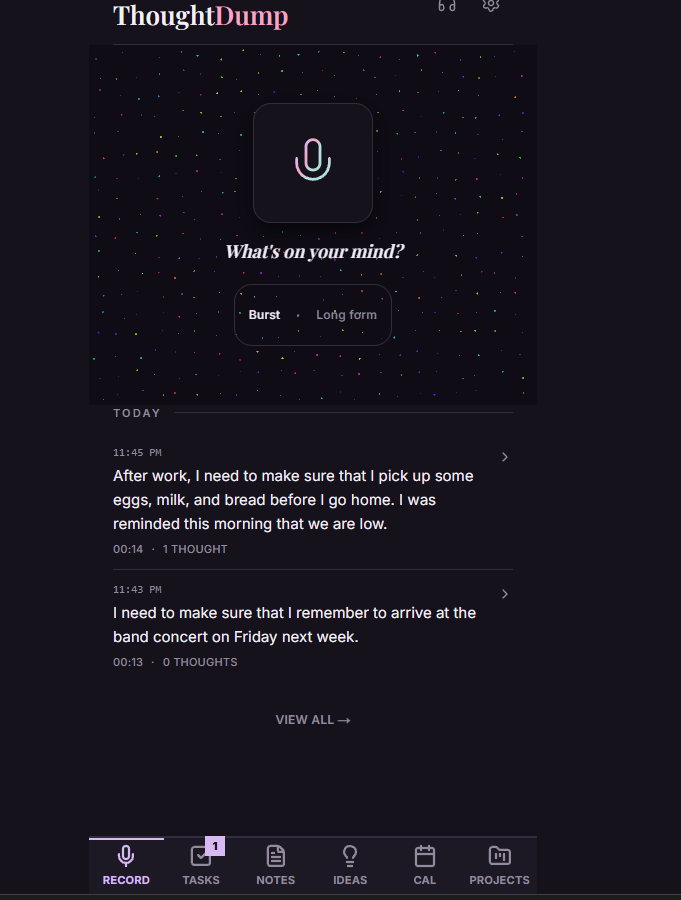
From thought to action
Say what is on your mind. Keep the useful parts close at hand.
Capture the task, idea, note, or appointment while it is fresh. Speak naturally; start when it is safe to do so.
ThoughtDump transcribes your recording, separates it into useful items, and suggests Projects for related work.
Uncertain dates, meaning, or Project choices go to Needs Review. Correct or reclassify an item by typing or voice.
Work through Tasks, check your Calendar, revisit an Idea, or export a Project. Your thought has somewhere useful to go.
Remember the next step
“Call them back.” “Pick that up.” “Finish this by Friday.” Find your Tasks together, check what is due, and mark things done. Follow an item back to the Dump it came from.
Explore Tasks, Notes, Ideas, and Events →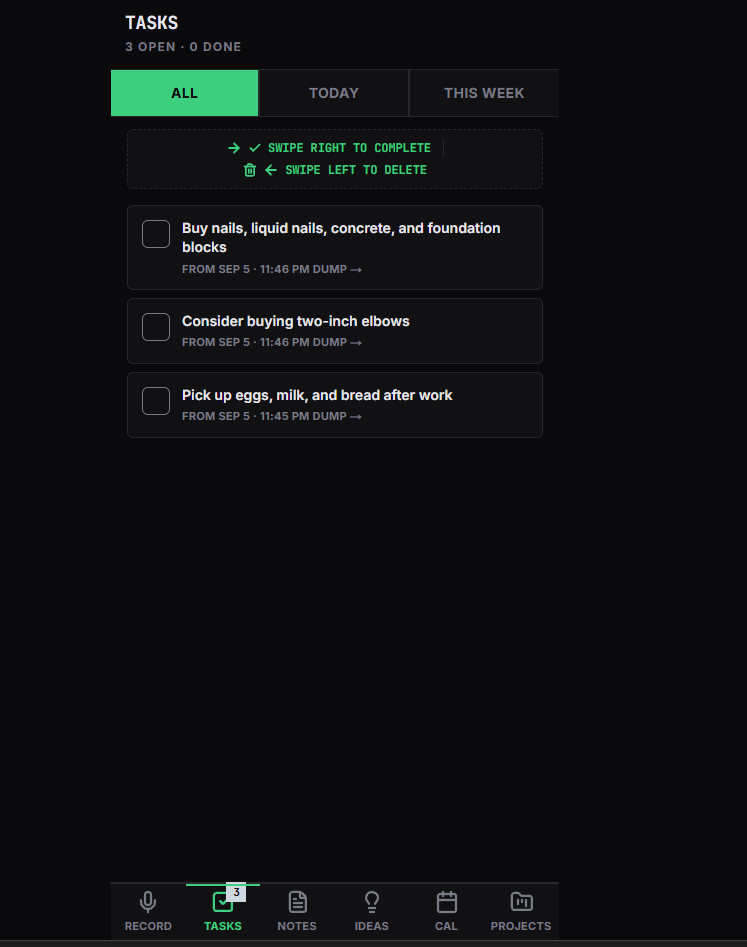
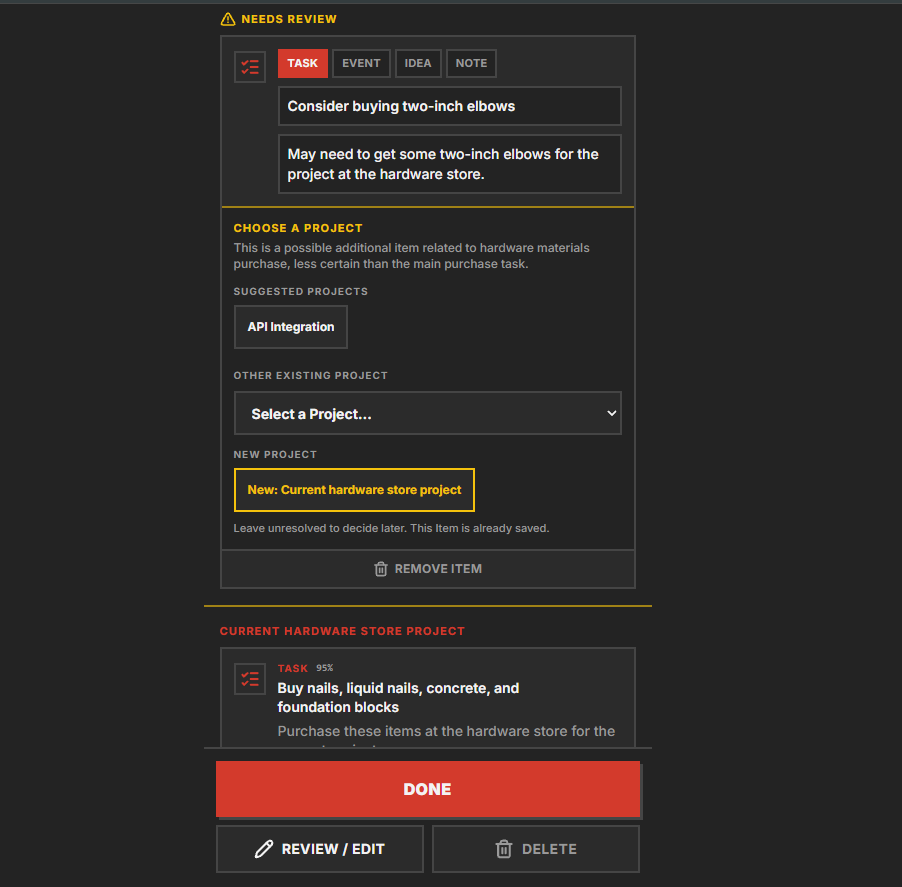
You keep the final say
ThoughtDump organizes when it has enough confidence and flags uncertainty for review. AI can misunderstand, so check important details. Choose the right Project, correct a date, or change an item’s type. Corrections leave the original recording unchanged while it is retained.
See what is ahead
See dated Events in Day, Week, Month, and Year views. Review uncertain timing before relying on it. Export an Event to Google Calendar, Outlook, or an ICS file without connecting an account.
Explore the Calendar →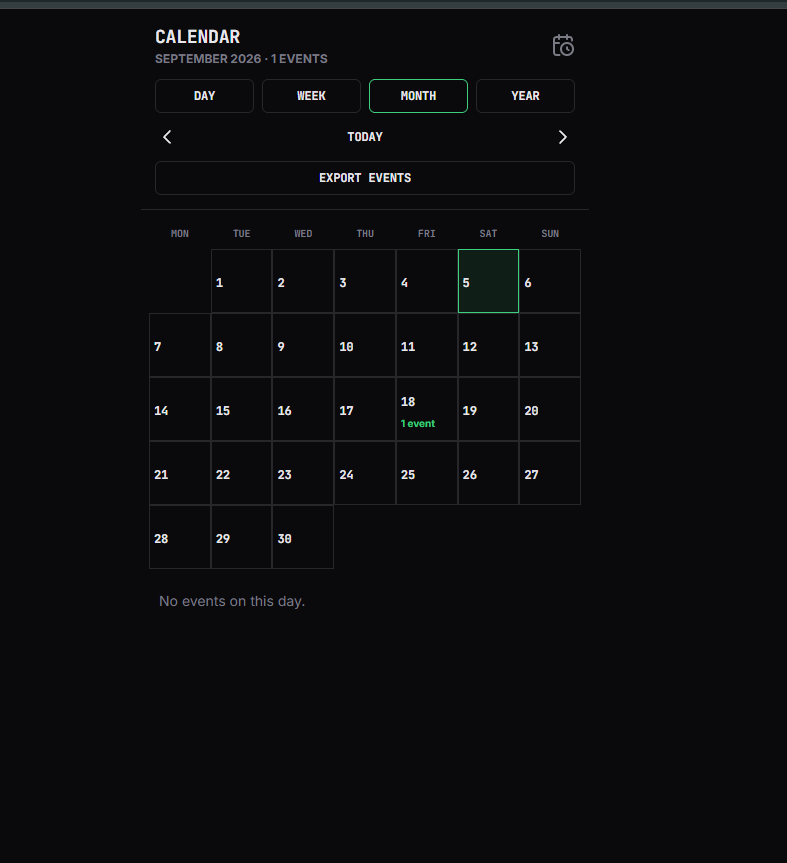
Built around your day
Keep related work in Projects, stay on top of appointments, and return to ideas when you have time to use them.
Capture thoughts, choose optional spoken replies, and make spoken follow-ups while the app is open and active.
Share selected Calendar Events with your household. Your recordings, transcripts, and other items stay private.
Choose email or push reminders for Events, with one-day and one-hour options for timed Events.
Choose an optional morning email with Tasks needing attention, today’s Events, and items waiting for review.
Daily Brief detailsUse Journal, Hacker / Dark Lab, Blue Collar, or Professional. Your theme choice follows your account.
Explore themesUse your browser or add ThoughtDump to your home screen. No App Store download required.
Notifications depend on your settings and device permissions; delivery is best effort. Reminder details.
Simple pricing
Voice capture, organization, Projects, Calendar, Hands-Free, and exports. The same ThoughtDump on Monthly or Annual.
Full pricing details →You own your content. We do not sell your data or run an advertising business. Read our Privacy Policy.
Copy or download plain text from Dump Review; export Markdown, JSON, or ICS from Project detail; use Calendar for Event handoffs and ICS. Existing content remains readable, manually editable and organizable, and exportable. New recording/processing, Hands-Free, AI voice correction, and generated speech require access. See export options.
ThoughtDump is a product of GS Optimal Solutions. Contact Support for account, product, or billing questions.
Choose Monthly or Annual. Make room for what comes next.